
Customer operations
Resolve more customer work without losing context or accountability.
A controlled customer-operations workflow can gather account history, classify intent, retrieve relevant policy or product context, draft the next action, update systems, and escalate exceptions.
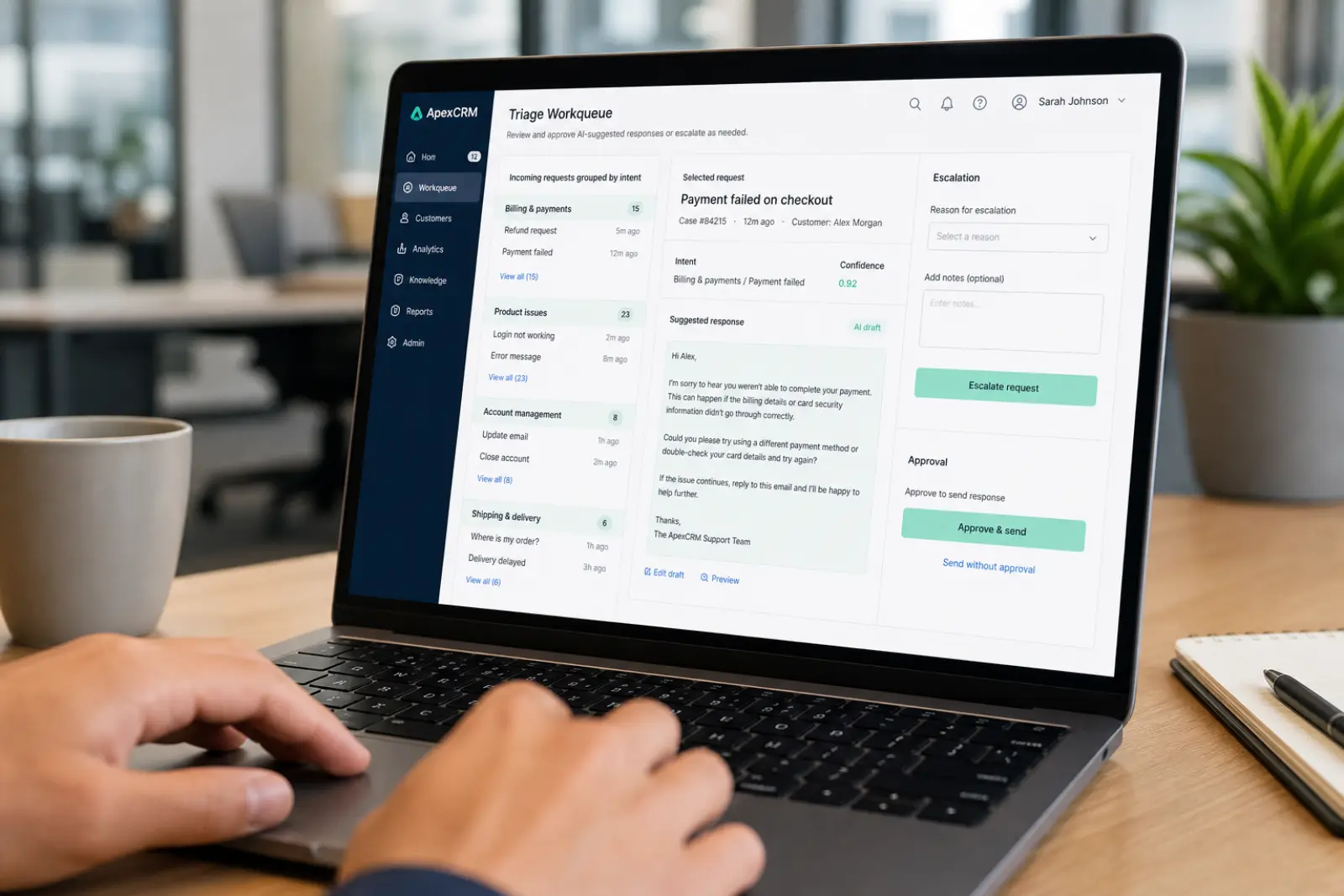 Conceptual UI
Conceptual interface for illustration. Not a live product console.
Example workflow
- 01
Receive request from email, chat, form, or support platform.
- 02
Identify customer, account, issue type, and urgency.
- 03
Gather relevant history and product context.
- 04
Recommend or draft a response.
- 05
Apply policy and permission checks.
- 06
Request human approval for defined cases.
- 07
Send, route, update, or create follow-up work.
- 08
Record the inputs, decision, action, and outcome.
Controls
- · Approved knowledge sources
- · Confidence and uncertainty handling
- · Sensitive-topic escalation
- · Account-level permissions
- · Human review rules
- · Response quality evaluation
- · Complete interaction trace
Outcomes to measure
- · Time to first useful action
- · Resolution cycle time
- · Reopen rate
- · Escalation rate
- · Human review time
- · Policy compliance
- · Customer satisfaction